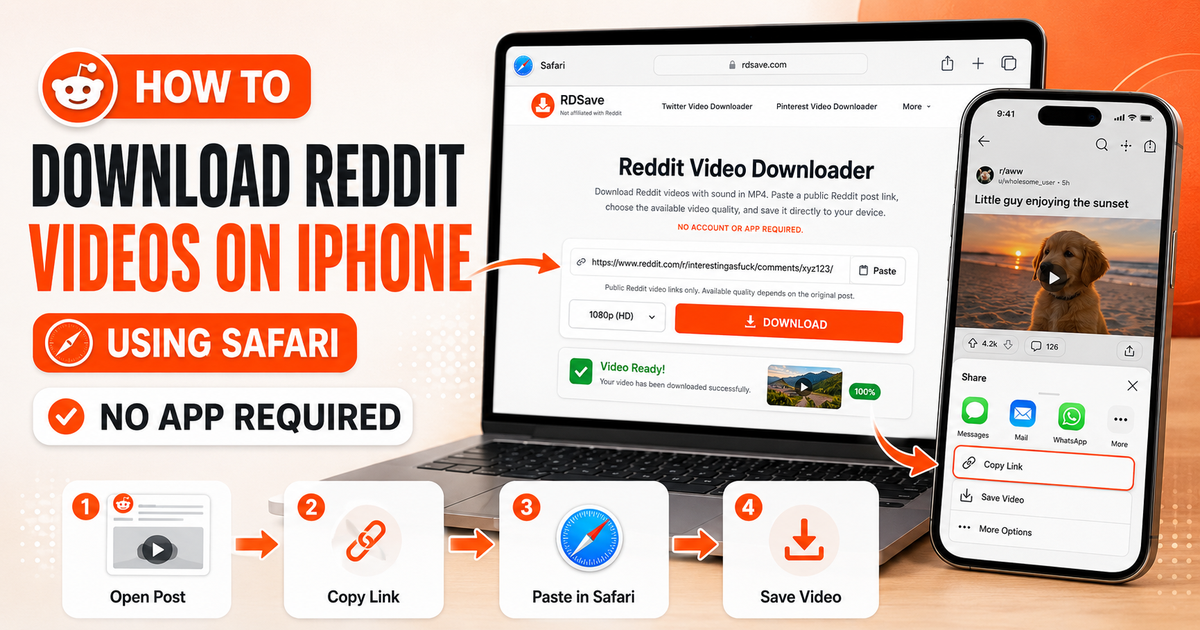
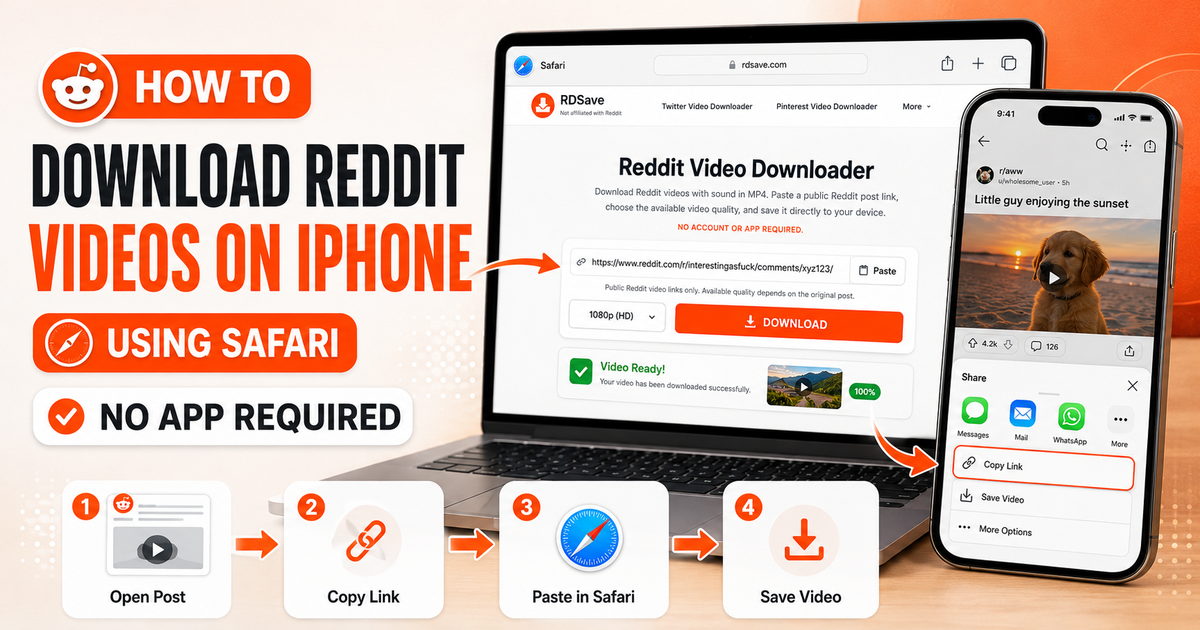
To download a Reddit video on iPhone with sound, open the post in the Reddit app, tap Share → Copy Link, paste the link into RDSave in Safari, and tap Download to save the merged .mp4 file. You do not need to install any iOS app or Siri Shortcut—Safari handles the download natively and lets you export the video straight to your Camera Roll via Share → Save Video.
This guide explains how to download Reddit videos on iPhone or iPad, where Safari stores your files, how to fix silent playback, and which tool to choose for audio-only or gallery posts.
iPhone Download Methods Compared
| iOS Method | Audio Included? | Watermark? | App Install Required? | Saves to Camera Roll? |
|---|---|---|---|---|
| RDSave in Safari | Yes (Merged AAC + MP4) | No Watermark | No (100% Web-Based) | Yes (via Share → Save Video) |
| Reddit Official App Save | Sometimes silent on v.redd.it | Often adds attribution bar | Requires Reddit App | Yes |
| iOS Screen Recording | Captures notification sounds & UI | Captures player overlays | Built into iOS | Yes (Requires manual trimming) |
Quick Steps for Safari on iPhone
- Open the Reddit post and tap Share → Copy Link.
- Open RDSave in Safari, tap Paste, and tap Download.
- Select your desired MP4 quality (e.g., 1080p HD) and confirm the Safari download prompt.
- To move the file from the Files app to your Photos app, follow our step-by-step How to Save Reddit Videos to Camera Roll guide, or use Reddit to MP3 if you only want the audio track.
Why iPhone Users Often Have Trouble Saving Reddit Videos
iPhone itself is not the real problem. Most of the friction comes from three things:
- Reddit-hosted media can be structured differently from a normal one-file video.
- iOS handles downloads through Safari and the Files app, which is unfamiliar to some users.
- Many people try to save the media the wrong way, such as long-pressing the visible video instead of using the actual post link.
Once you use the right link and the right downloader, the process becomes much easier.
Step-by-Step: Download Reddit Videos on iPhone
1. Open the Reddit post
Find the public Reddit post that contains the video you want to save.
2. Tap Share
Under the post, tap the Share button.
3. Tap Copy Link
This is important. You want the post URL, not just a screenshot, not a copied title, and not a partial media snippet.
4. Open RDSave in Safari
Go to the Reddit Video Downloader page in Safari.
5. Paste the link
Tap the input field and paste the copied Reddit URL.
6. Tap Download
RDSave will process the public Reddit link and show the available video download option.
7. Save the file
Download the MP4 to your device.
On iPhone, the saved file commonly appears in one of these places:
- Safari Downloads;
- the Files app;
- iCloud Drive Downloads;
- On My iPhone Downloads.
The exact location depends on your Safari settings.
Where Do Reddit Downloads Go on iPhone?
A lot of users think the download failed when the file actually saved successfully. They just do not know where iPhone stored it.
To find your downloaded file:
- Open the Files app.
- Look in Downloads.
- Check iCloud Drive and On My iPhone.
- If you used Safari, tap Safari's downloads icon to open recent files.
If you want to save the video to Photos later, share or move the file from Files into your camera roll or another app.
How to Download Reddit Videos With Sound on iPhone
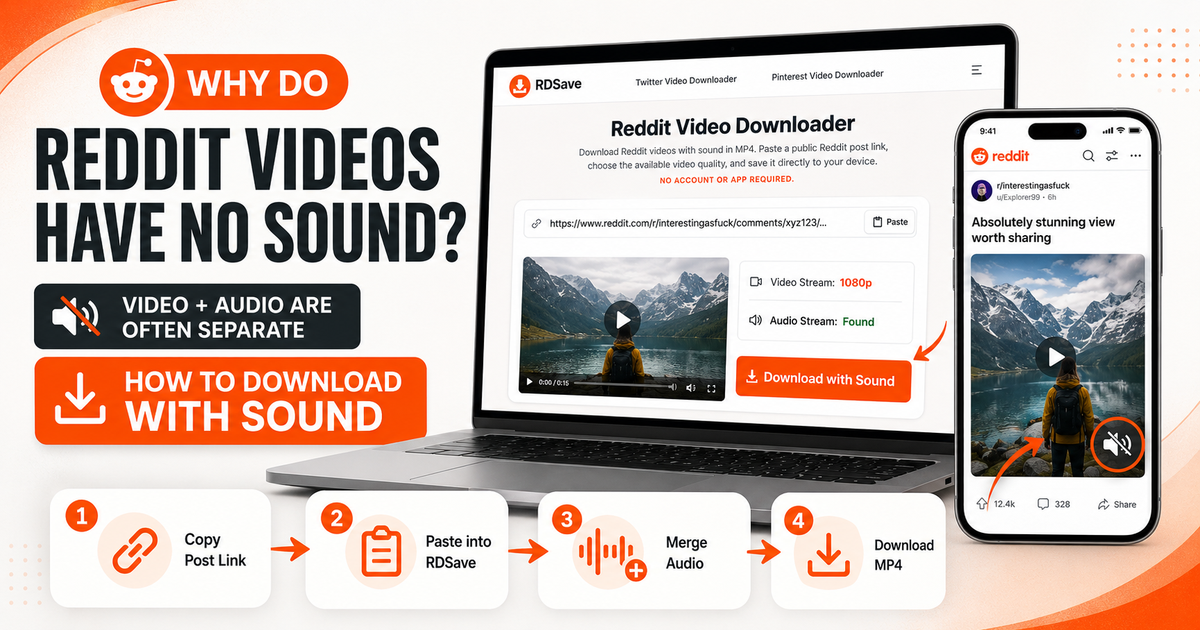
The most common mistake is trying to save the video directly from the Reddit interface or from a media preview. That often leads to a file with no sound.
The better method is to use the full post URL and let the Reddit Video Downloader prepare the file.
If the original Reddit post includes an audio track, the downloader can prepare the MP4 with sound. If the original post is silent, the final file will also be silent.
For a deeper explanation, see Why Reddit Videos Have No Sound.
Common iPhone Problems and Fixes
Problem: The video did not download
Fix: Confirm the post is public, copy the full link again, and retry.
Problem: The file downloaded but I cannot find it
Fix: Check Safari Downloads and the Files app.
Problem: The video has no sound
Fix: Test the original post on Reddit. If it does have sound, reprocess it with the proper post URL.
Problem: The link does not work
Fix: Make sure you copied the complete Reddit post URL from the Share menu rather than the visible browser title or a broken snippet.
Problem: I only want the audio
Fix: Use Reddit to MP3 instead.
When to Use a Different Tool
Not every Reddit post is a video.
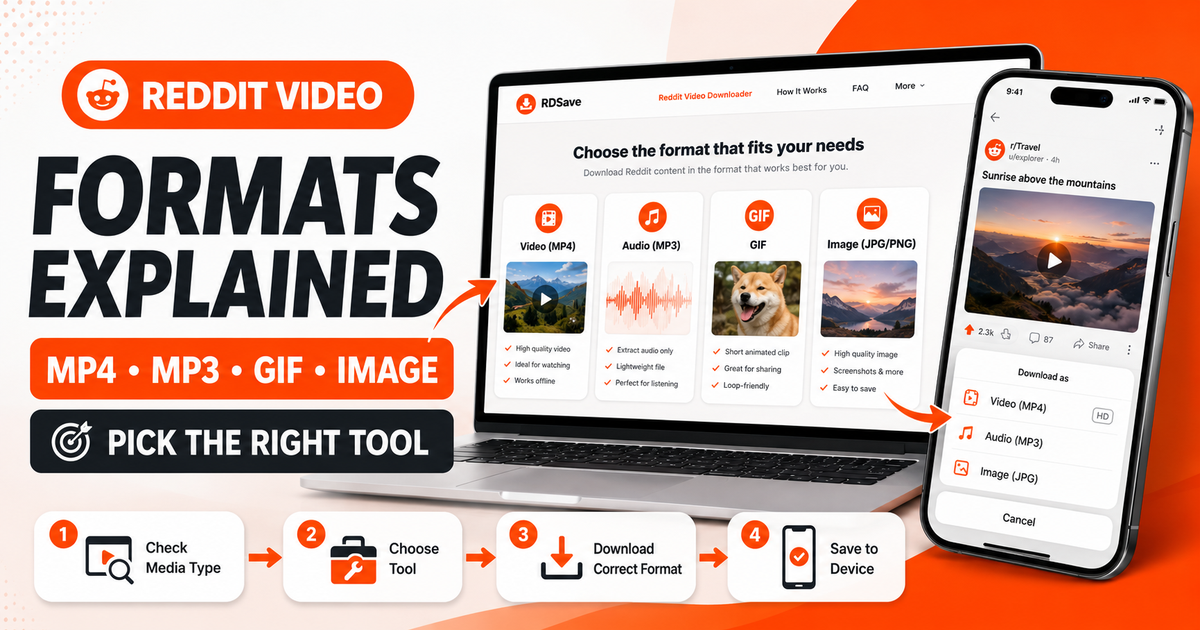
Use the tool that matches the content:
- Reddit Video Downloader for full videos with available sound.
- Reddit to MP3 for audio only.
- Reddit Image Downloader for images and galleries.
- Reddit GIF Downloader for looping or GIF-style posts.
This matters because trying to handle all Reddit content through one workflow creates avoidable errors.
Is an iPhone App Necessary?
No. For public Reddit posts, a browser-based workflow is usually enough.
A web tool is often the simpler option because:
- there is nothing to install;
- there is no account setup;
- you can use it immediately in Safari;
- you do not have to trust a random third-party app with broad permissions.
That convenience is one reason browser-based Reddit download tools work well on iPhone.
Best Practices for iPhone Users
- Always use the post's Share → Copy Link option.
- Do not rely on long-press save behavior for Reddit-hosted videos.
- Keep Safari updated.
- Check the original post for audio before troubleshooting.
- Save the file first, then move it to Photos if needed.
Final Thoughts
Downloading Reddit videos on iPhone is easy once you use the correct workflow. The biggest mistakes are usually link-related or audio-related, not iPhone-related.
Use Safari, copy the full Reddit post URL, and process the post through the Reddit Video Downloader. If you only need the sound, switch to Reddit to MP3. If the post is an image or a gallery, use the Reddit Image Downloader.
Choosing the right tool from the start will save you time and help you avoid the “downloaded but broken” experience.
FAQ
Can I download Reddit videos on iPhone without an app?
Yes. A browser-based workflow in Safari is usually enough.
Why does the video save without sound on iPhone?
Because Reddit-hosted video may separate the video and audio streams. Using the proper downloader workflow helps fix that.
Where is my downloaded Reddit video on iPhone?
Usually in Safari Downloads or the Files app.
Can I save Reddit audio only on iPhone?
Yes. Use Reddit to MP3 if you only want the audio.